AI in Production -- Part 4
The Cost Problem: How to Keep Your AI Bill Predictable
The Problem
Someone on your team opens the cloud bill. They see the AI line item. They do a double-take. Then they forward it to you with a question mark.
This happens more often than people talk about publicly. AI APIs charge per token — a unit roughly equal to four characters of text. It sounds small. It adds up fast, and it does it in ways that are hard to predict.
Here’s the thing about tokens: you pay for both sides of the conversation. You pay for what you send (prompt tokens) and for what you get back (completion tokens). Your system prompt, the user’s input, any context you inject, the conversation history — all of it counts. A system prompt that looks like 200 words is around 250 tokens. Send it on every request, at 15€ per million tokens, to 10,000 users per day — that’s 37.50€ just for the system prompt. Before the user even asks anything.
The real problem is unpredictability. You can estimate your baseline. What you can’t predict is:
- A user who pastes a 50-page document into the input
- A bug that accidentally includes the full conversation history on every turn
- A new feature that doubles prompt length without anyone noticing
- Traffic growth that you didn’t budget for
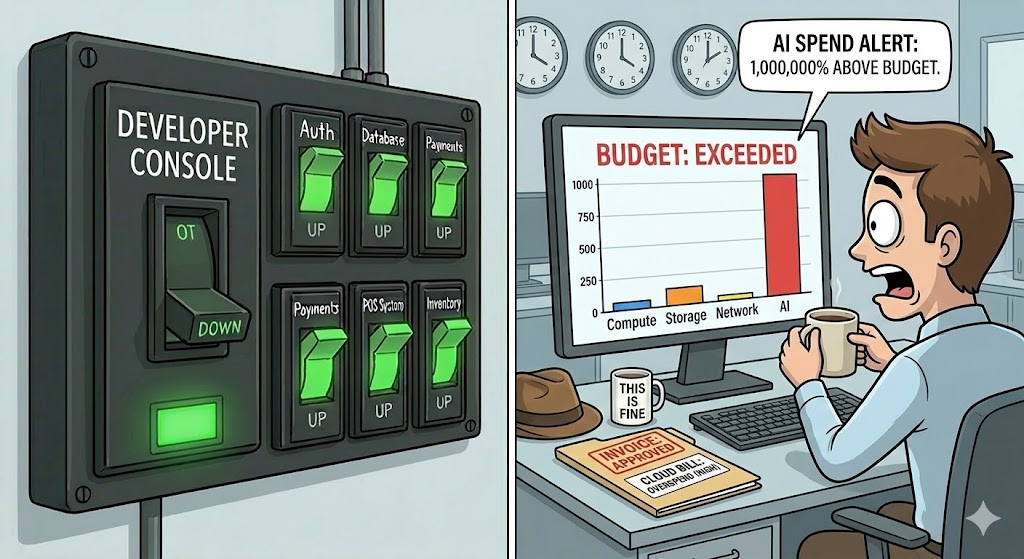
Cost in AI systems has a property that most services don’t: it scales with input complexity, not just with request volume. Two requests can cost 20x differently depending on what’s in them. Standard auto-scaling and budget alerts designed for uniform per-request costs don’t work well here.
You need to design for cost from the start. Not as an optimization pass later — from the start.
The Four Levers

1. Input limits. The simplest and most effective control. Cap how many tokens a user can send per request. Reject oversized inputs before they reach the AI. This prevents the worst-case scenarios and forces users to be specific.
2. Caching. Many AI requests are repetitive. FAQ chatbots, document summaries, code explanations — users often ask the same or very similar questions. Cache the responses. Don’t pay twice for the same answer.
3. Model routing. You don’t need your most powerful (and expensive) model for every task. Classify requests by complexity and route simple ones to cheaper models. This can cut costs by 80% on the right workload.
4. Per-user rate limiting. A single heavy user shouldn’t consume your entire budget. Set per-user or per-tenant limits. Let them know when they’re approaching the limit rather than cutting them off without warning.
Execute
1. Input limits — reject before you pay
Validate input size before calling the AI. Most providers bill on actual tokens, so stopping oversized requests at the door is free.
A rough token estimate: 1 token ≈ 4 characters of English text. This isn’t exact, but it’s close enough for a guard limit.
public class TokenGuard
{
    // Rough character-to-token ratio for English text
    private const double CharsPerToken = 4.0;

    public static int EstimateTokens(string text) =>
        (int)Math.Ceiling(text.Length / CharsPerToken);

    public static bool ExceedsLimit(string text, int maxTokens) =>
        EstimateTokens(text) > maxTokens;
}
Use it at the entry point of every AI call:
public async Task<string?> SummarizeAsync(
    string text,
    CancellationToken cancellationToken = default)
{
    const int MaxInputTokens = 2000; // ~8000 characters

    if (TokenGuard.ExceedsLimit(text, MaxInputTokens))
    {
        // Log it — this is useful cost data
        _logger.LogWarning(
            "Input rejected: estimated {Tokens} tokens exceeds limit of {Limit}",
            TokenGuard.EstimateTokens(text), MaxInputTokens);

        // Return null — caller shows "input too long" message
        return null;
    }

    // ... proceed with AI call
}
Return a specific result type if you need the caller to distinguish “AI unavailable” from “input rejected”:
public enum SummarizeStatus { Ok, InputTooLong, AiUnavailable }

public record SummarizeResult(string? Summary, SummarizeStatus Status);
2. Caching — don’t pay twice
IDistributedCache from .NET gives you a cache abstraction that works with Redis, SQL Server, or in-memory — same code regardless of backend.
using Microsoft.Extensions.Caching.Distributed;
using System.Security.Cryptography;
using System.Text;
using System.Text.Json;

public class CachedAiSummaryService : IAiSummaryService
{
    private readonly IAiSummaryService _inner;
    private readonly IDistributedCache _cache;
    private readonly ILogger<CachedAiSummaryService> _logger;

    // Cache summaries for 1 hour — adjust based on how often content changes
    private static readonly DistributedCacheEntryOptions CacheOptions = new()
    {
        AbsoluteExpirationRelativeToNow = TimeSpan.FromHours(1)
    };

    public CachedAiSummaryService(
        IAiSummaryService inner,
        IDistributedCache cache,
        ILogger<CachedAiSummaryService> logger)
    {
        _inner = inner;
        _cache = cache;
        _logger = logger;
    }

    public async Task<string?> SummarizeAsync(
        string text,
        CancellationToken cancellationToken = default)
    {
        var cacheKey = BuildCacheKey(text);

        // Check cache first
        var cached = await _cache.GetStringAsync(cacheKey, cancellationToken);
        if (cached is not null)
        {
            _logger.LogDebug("Cache hit for summary key {Key}", cacheKey[..8]);
            return cached;
        }

        // Cache miss — call the AI
        var result = await _inner.SummarizeAsync(text, cancellationToken);

        // Only cache successful, non-empty responses
        if (!string.IsNullOrWhiteSpace(result))
        {
            await _cache.SetStringAsync(cacheKey, result, CacheOptions, cancellationToken);
        }

        return result;
    }

    private static string BuildCacheKey(string text)
    {
        // Hash the input so the key is a fixed size
        var hash = SHA256.HashData(Encoding.UTF8.GetBytes(text));
        return $"ai:summary:{Convert.ToHexString(hash)}";
    }
}
Wire it up as a decorator in Program.cs:
// Register the real service
builder.Services.AddScoped<AiSummaryService>();

// Register the cached decorator as the interface
builder.Services.AddScoped<IAiSummaryService>(sp =>
    new CachedAiSummaryService(
        sp.GetRequiredService<AiSummaryService>(),
        sp.GetRequiredService<IDistributedCache>(),
        sp.GetRequiredService<ILogger<CachedAiSummaryService>>()));

// Redis for distributed cache (replace with AddDistributedMemoryCache() for local dev)
builder.Services.AddStackExchangeRedisCache(options =>
{
    options.Configuration = builder.Configuration.GetConnectionString("Redis");
});
3. Model routing — right tool for the job
Not all requests need your best model. A classifier that answers yes/no, a response that just reformats text, a simple extraction task — these don’t need the same model as a complex analysis.
Define tiers based on your actual workload:
public enum RequestComplexity { Simple, Standard, Complex }

public static class ComplexityClassifier
{
    public static RequestComplexity Classify(string text)
    {
        var estimatedTokens = TokenGuard.EstimateTokens(text);

        // Simple: short, likely a lookup or reformatting
        if (estimatedTokens < 200) return RequestComplexity.Simple;

        // Complex: long document, likely needs reasoning
        if (estimatedTokens > 1500) return RequestComplexity.Complex;

        return RequestComplexity.Standard;
    }
}
Then route to different model configurations:
public class RoutedAiSummaryService : IAiSummaryService
{
    private readonly IConfiguration _config;
    private readonly IHttpClientFactory _factory;

    public async Task<string?> SummarizeAsync(
        string text,
        CancellationToken cancellationToken = default)
    {
        var complexity = ComplexityClassifier.Classify(text);

        // Use config to keep model names out of code
        var modelKey = complexity switch
        {
            RequestComplexity.Simple   => "Ai:Models:Simple",
            RequestComplexity.Complex  => "Ai:Models:Complex",
            _                          => "Ai:Models:Standard"
        };

        var model = _config[modelKey]
            ?? throw new InvalidOperationException($"{modelKey} is required.");

        // Use the selected model for this request
        return await CallAiAsync(text, model, cancellationToken);
    }

    // ... implementation
}
In appsettings.json:
{
  "Ai": {
    "Models": {
      "Simple": "gpt-5-mini",
      "Standard": "gpt-5",
      "Complex": "gpt-5"
    }
  }
}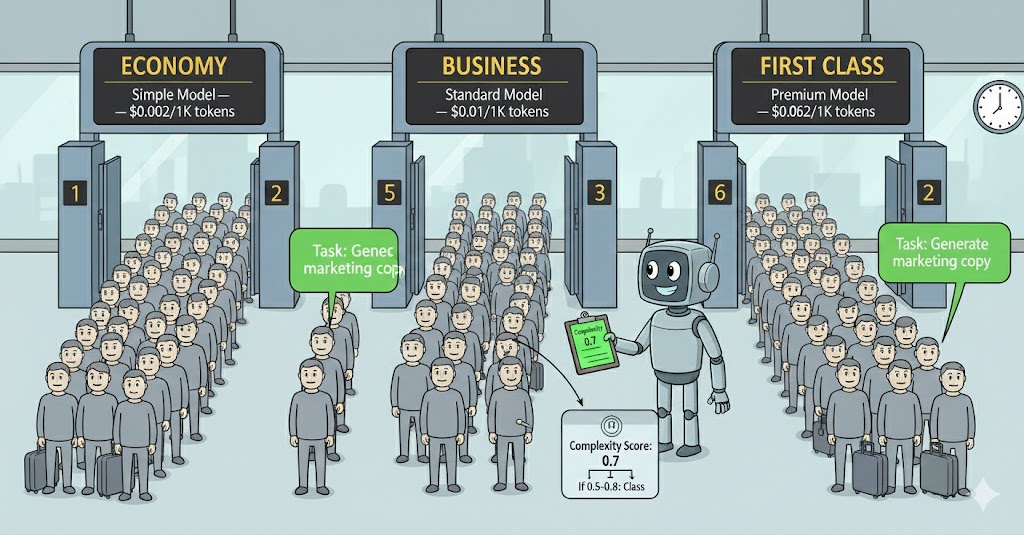
A typical workload splits roughly 60/30/10 across simple/standard/complex. If your cheapest model costs 20x less than your premium one, routing 60% of traffic to it cuts your bill significantly.
Going further: semantic routing. Complexity-based routing is a good start, but it only looks at how long the request is. A more powerful approach is to add a pre-processor — a fast, cheap classifier that evaluates the request and routes it based on both complexity and domain specialization.
For example, you might have:
- A code-specialized model for requests that involve code generation or debugging
- A model fine-tuned on legal or compliance text for contract analysis
- A general-purpose model for everything else
The pre-processor is itself an AI call — and yes, it has a cost too. You’re adding a classification step on every single request. The bet is that this small, consistent cost is lower than the savings from routing correctly. A small model asked “what type of request is this?” is much cheaper per token than a general-purpose frontier model, and if it routes 40% of your traffic to a specialized model that performs better and costs less, the maths usually work out. But measure it — don’t assume. Add the classifier cost to your ai.tokens.prompt metrics and track the full picture.
public enum RequestDomain { Code, Legal, General }

public static class DomainClassifier
{
    // Fast, cheap call to a small classifier model
    public static async Task<RequestDomain> ClassifyAsync(
        string text,
        ISmallClassifierClient classifier,
        CancellationToken ct = default)
    {
        var domain = await classifier.ClassifyAsync(text, ct);
        return domain switch
        {
            "code"  => RequestDomain.Code,
            "legal" => RequestDomain.Legal,
            _       => RequestDomain.General
        };
    }
}
Then your router combines both dimensions:
var complexity = ComplexityClassifier.Classify(text);
var domain     = await DomainClassifier.ClassifyAsync(text, _classifier, ct);

var modelKey = (complexity, domain) switch
{
    (RequestComplexity.Simple, _)                => "Ai:Models:Simple",
    (_, RequestDomain.Code)                      => "Ai:Models:Code",
    (_, RequestDomain.Legal)                     => "Ai:Models:Legal",
    (RequestComplexity.Complex, RequestDomain.General) => "Ai:Models:Complex",
    _                                            => "Ai:Models:Standard"
};
This is more complex to maintain — you need to monitor each model independently and keep the classifier accurate. It’s worth it at scale, but start with complexity-only routing and add domain routing only when you have data showing which domains exist in your actual traffic.
4. Per-user rate limiting
Don’t let one user consume your entire budget. Rate limiting at the AI layer is separate from API rate limiting — you’re controlling cost, not just traffic.
public class RateLimitedAiSummaryService : IAiSummaryService
{
    private readonly IAiSummaryService _inner;
    private readonly IDistributedCache _cache;

    // Max AI calls per user per hour
    private const int MaxCallsPerHour = 20;

    public async Task<string?> SummarizeAsync(
        string text,
        string userId, // Pass userId from the calling context
        CancellationToken cancellationToken = default)
    {
        var key = $"ai:ratelimit:{userId}:{DateTime.UtcNow:yyyyMMddHH}";

        var countStr = await _cache.GetStringAsync(key, cancellationToken);
        var count = countStr is null ? 0 : int.Parse(countStr);

        if (count >= MaxCallsPerHour)
        {
            _logger.LogWarning("Rate limit hit for user {UserId}", userId);
            return null; // Caller shows "you've reached your limit" message
        }

        // Increment counter with 2-hour expiry (covers the current + next hour slot)
        await _cache.SetStringAsync(
            key,
            (count + 1).ToString(),
            new DistributedCacheEntryOptions
            {
                AbsoluteExpirationRelativeToNow = TimeSpan.FromHours(2)
            },
            cancellationToken);

        return await _inner.SummarizeAsync(text, cancellationToken);
    }
}
What to track
From article 3, you’re already recording ai.tokens.prompt and ai.tokens.completion. Add these:
- Cost per request — calculate from token counts × model price. Log it. Alert if the daily total crosses a budget threshold.
- Cache hit rate —
cache_hits / (cache_hits + cache_misses). A rate below 20% on a stable workload means your caching strategy needs work. - Input rejection rate — how often are requests being rejected for size. High rates might mean your limit is too aggressive or your UX isn’t communicating it well.
- Model distribution — what percentage of requests go to each model tier. This tells you whether your routing is working.
Checklist
- Is there a token limit on user inputs? What happens when it’s exceeded?
- Are you caching responses for repeated or similar requests?
- Do you use different models for different complexity tiers?
- Is there a per-user or per-tenant rate limit?
- Do you have a daily cost metric with an alert threshold?
- Can you explain to Finance what drives the AI bill up or down?
The last question is the real test. If you can’t explain it, you can’t control it.
Before the Next Article
You’ve covered availability, observability, and cost. Your system is resilient, visible, and budget-controlled.
Now someone from Legal walks over. They’ve heard about the AI feature. They want to know: what data are you sending to the model? Who stores it? For how long? Can users opt out? Is any of it personal data under GDPR?
That’s article 5.
If this series helps you, consider buying me a coffee.
This is article 4 of the AI in Production series. Next: Governance and Compliance — what Legal will ask before your AI feature goes live, and how to design for it from the start.
Loading comments...