AI in Production -- Part 3
Observability for AI Systems: Measuring What You Can't See
The Problem
Your monitoring dashboard is green. All endpoints return 200. Response times look normal. No alerts firing.
But users are complaining. “The AI is giving weird answers.” “It used to be faster.” “I don’t think it’s working right.”
You look at the logs. HTTP 200. You look at the metrics. Nothing unusual. You look at the traces. The AI call completed successfully.
And yet something is wrong.
This is the observability problem for AI systems. Traditional monitoring tells you if the network worked. It doesn’t tell you if the AI worked. A response can be technically successful — right HTTP status, valid JSON, within timeout — and still be wrong, unhelpful, or getting quietly worse over time.
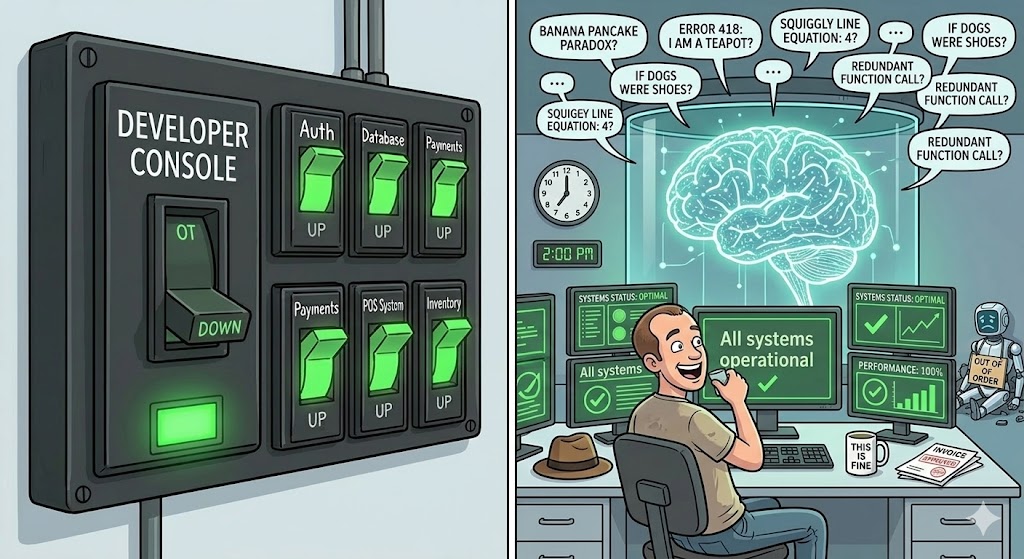
There are three types of degradation that standard monitoring completely misses:
Silent quality drop. The model returns answers that are less relevant, less accurate, or structured differently than before. Maybe the provider updated the model. Maybe your prompts are hitting edge cases more often as your user base grows. No error is thrown. No alarm fires. You find out when users stop using the feature.
Cost creep. Token usage drifts up. Maybe a new code path generates longer prompts. Maybe users discovered they can ask complex questions. The API call still succeeds, but you’re now spending 3x what you budgeted. Finance finds out at the end of the month.
Latency drift. The p50 latency is fine. But the p95 is getting worse every week. Most users don’t notice. Power users — the ones who use your product the most — do. You lose your best users first.
None of these show up in standard monitoring. You need to instrument your AI calls specifically.
What to Measure
Before writing any code, get clear on what you actually need to know.
Latency — the right way. Averages hide problems. A p95 of 8 seconds means 1 in 20 requests takes 8 seconds or longer. That’s not acceptable for an interactive feature, and averages won’t show it. Track p50, p95, and p99 separately.
Token usage. Tokens are your cost unit. Track prompt tokens (what you send) and completion tokens (what you get back) separately, per endpoint. Prompt tokens are mostly under your control — if they spike, something in your code changed. Completion tokens reflect the model’s verbosity — if they spike, the model changed or your prompts changed.
Fallback rate. How often is the circuit breaker open? How often is the AI returning null and the fallback kicking in? If this is above 1-2%, something is wrong — either the AI is unreliable or your timeout is too aggressive.
Quality signals. This is the hard one. You can’t automatically know if an answer is correct. But you can measure proxies: response length (too short might mean refusal), structure conformance (did the model return the JSON format you asked for?), and explicit user feedback (thumbs up/down, edits, retries).
Model and version. Log which model responded to each request. When a provider updates silently, you’ll know exactly when behavior changed.
Execute
We’ll use OpenTelemetry for metrics and tracing, with structured logging for the details that don’t fit in metrics. This works with any observability backend — Azure Monitor, Grafana, Datadog, whatever you have.
Add the packages
dotnet add package OpenTelemetry.Extensions.Hosting
dotnet add package OpenTelemetry.Exporter.OpenTelemetryProtocol
dotnet add package System.Diagnostics.DiagnosticSource
Define your AI metrics
Create a dedicated metrics class. This keeps all AI-related instruments in one place and makes it easy to find them in your dashboards.
using System.Diagnostics;
using System.Diagnostics.Metrics;

public static class AiMetrics
{
    private static readonly Meter Meter = new("victorz.ai", "1.0.0");

    // Histogram: tracks distribution of values (p50, p95, p99)
    public static readonly Histogram<double> RequestDuration =
        Meter.CreateHistogram<double>(
            "ai.request.duration",
            unit: "ms",
            description: "Duration of AI API calls");

    public static readonly Histogram<int> PromptTokens =
        Meter.CreateHistogram<int>(
            "ai.tokens.prompt",
            unit: "tokens",
            description: "Prompt tokens sent per request");

    public static readonly Histogram<int> CompletionTokens =
        Meter.CreateHistogram<int>(
            "ai.tokens.completion",
            unit: "tokens",
            description: "Completion tokens received per request");

    // Counter: monotonically increasing total
    public static readonly Counter<int> FallbackActivations =
        Meter.CreateCounter<int>(
            "ai.fallback.activations",
            description: "Number of times the AI fallback was used");

    public static readonly Counter<int> Requests =
        Meter.CreateCounter<int>(
            "ai.requests.total",
            description: "Total AI requests by outcome");
}
Instrument the service
Update AiSummaryService from article 2 to record metrics on every call:
public class AiSummaryService : IAiSummaryService
{
    private readonly HttpClient _http;
    private readonly ResiliencePipeline<string?> _pipeline;
    private readonly ILogger<AiSummaryService> _logger;

    public AiSummaryService(
        IHttpClientFactory factory,
        ILogger<AiSummaryService> logger)
    {
        _http = factory.CreateClient("ai");
        _pipeline = ResiliencePipelines.BuildAiPipeline();
        _logger = logger;
    }

    public async Task<string?> SummarizeAsync(
        string text,
        CancellationToken cancellationToken = default)
    {
        var stopwatch = Stopwatch.StartNew();
        string? outcome = "success";

        try
        {
            var result = await _pipeline.ExecuteAsync(async ct =>
            {
                var response = await _http.PostAsJsonAsync(
                    "/summarize",
                    new { text },
                    ct);

                response.EnsureSuccessStatusCode();

                var body = await response.Content
                    .ReadFromJsonAsync<SummaryResponse>(ct);

                // Record token usage from the API response headers or body
                // Most providers return this in the response
                if (body?.Usage is not null)
                {
                    AiMetrics.PromptTokens.Record(
                        body.Usage.PromptTokens,
                        new TagList { { "endpoint", "summarize" } });

                    AiMetrics.CompletionTokens.Record(
                        body.Usage.CompletionTokens,
                        new TagList { { "endpoint", "summarize" } });
                }

                return body?.Summary;
            }, cancellationToken);

            if (result is null)
            {
                outcome = "empty_response";
            }

            return result;
        }
        catch (BrokenCircuitException)
        {
            outcome = "circuit_open";
            AiMetrics.FallbackActivations.Add(1,
                new TagList { { "reason", "circuit_open" } });

            _logger.LogWarning("AI circuit open. Returning null.");
            return null;
        }
        catch (Exception ex)
        {
            outcome = "error";
            AiMetrics.FallbackActivations.Add(1,
                new TagList { { "reason", "error" } });

            _logger.LogError(ex, "AI summarization failed.");
            return null;
        }
        finally
        {
            stopwatch.Stop();

            AiMetrics.RequestDuration.Record(
                stopwatch.Elapsed.TotalMilliseconds,
                new TagList { { "endpoint", "summarize" }, { "outcome", outcome } });

            AiMetrics.Requests.Add(1,
                new TagList { { "endpoint", "summarize" }, { "outcome", outcome } });

            // Structured log for every call — cheap to store, invaluable to query
            _logger.LogInformation(
                "AI call completed. Endpoint={Endpoint} Outcome={Outcome} DurationMs={DurationMs}",
                "summarize", outcome, stopwatch.Elapsed.TotalMilliseconds);
        }
    }
}

record SummaryResponse(string? Summary, TokenUsage? Usage);
record TokenUsage(int PromptTokens, int CompletionTokens);
Wire up OpenTelemetry
// Program.cs
builder.Services.AddOpenTelemetry()
    .WithMetrics(metrics =>
    {
        metrics
            .AddMeter("victorz.ai")
            .AddRuntimeInstrumentation()
            .AddAspNetCoreInstrumentation()
            .AddOtlpExporter(options =>
            {
                options.Endpoint = new Uri(
                    builder.Configuration["Otlp:Endpoint"]
                    ?? "http://localhost:4317");
            });
    })
    .WithTracing(tracing =>
    {
        tracing
            .AddAspNetCoreInstrumentation()
            .AddHttpClientInstrumentation()
            .AddOtlpExporter(options =>
            {
                options.Endpoint = new Uri(
                    builder.Configuration["Otlp:Endpoint"]
                    ?? "http://localhost:4317");
            });
    });
The four dashboards you need
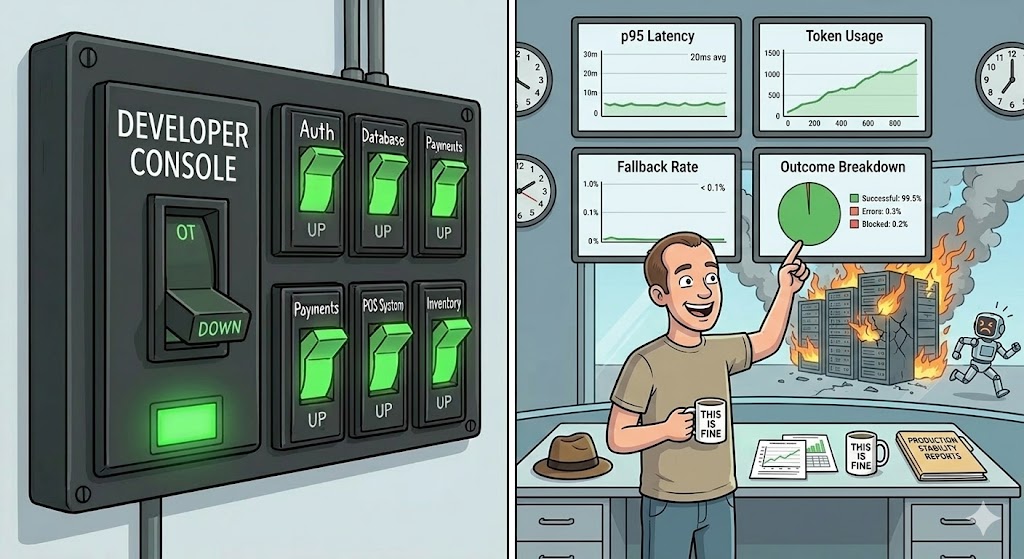
Once the data is flowing, build these four views. Everything else is optional.
1. Latency distribution — Histogram of ai.request.duration split by p50/p95/p99. Set an alert if p95 exceeds your SLA. Never alert on average.
2. Token usage over time — ai.tokens.prompt and ai.tokens.completion as time series. Draw a baseline in the first week. Alert on deviations above 20%.
3. Fallback rate — ai.fallback.activations / ai.requests.total as a percentage over time. Alert if it goes above 2%. Above 5% means something is seriously wrong.
4. Outcome breakdown — ai.requests.total split by outcome tag: success, empty_response, circuit_open, error. This tells you what kind of failures you’re having, not just that failures are happening.
Detecting quality problems
Metrics catch performance and availability issues. Quality problems are harder. The simplest approach that actually works in production:
public class AiSummaryService : IAiSummaryService
{
    // ... existing code ...

    private static bool IsResponseSuspicious(string? response)
    {
        if (string.IsNullOrWhiteSpace(response)) return true;

        // Too short to be a real summary
        if (response.Length < 50) return true;

        // Model refusal patterns
        if (response.StartsWith("I'm sorry", StringComparison.OrdinalIgnoreCase)) return true;
        if (response.StartsWith("I cannot", StringComparison.OrdinalIgnoreCase)) return true;

        return false;
    }
}
Log suspicious responses with the full input and output. Review them weekly. This isn’t automated quality control — it’s a signal that tells you where to look.
![A factory conveyor belt where a quality inspector robot flags boxes labeled "I'm sorry, I cannot help with that" and "[empty]" into a SUSPICIOUS bin, while boxes labeled "Good Answer" pass through normally.](/images/quality.jpg)
Checklist
- Are you tracking p95 and p99 latency, not just average?
- Are you recording prompt tokens and completion tokens per request?
- Do you have a fallback rate metric with an alert threshold?
- Can you tell, right now, what percentage of AI calls are succeeding?
- Can you tell when the behavior changed, and which model version caused it?
- Do you have a way to detect suspicious or low-quality responses?
If you can’t answer these questions by looking at a dashboard, you’re flying blind.
Before the Next Article
You can now see what’s happening. Latency, fallback rate, quality signals — all visible.
But look at that token usage chart. Watch it over a week. It almost certainly goes up. Maybe slowly. Maybe in sudden jumps.
That’s your cost. And cost in AI systems has a way of surprising people. Article 4 is about making it predictable.
If this series helps you, consider buying me a coffee.
This is article 3 of the AI in Production series. Next: The Cost Problem — tokens, caching, and how to keep your AI bill from becoming a budget conversation.
Loading comments...