AI in Production -- Part 6
Integrating AI into Existing Systems: Patterns That Don't Break What Works
The Problem
The articles so far have built an AI service from scratch. Clean interfaces, fresh schema, greenfield design.
Your production system is not like that.
It has a Documents table with 2 million rows, none of which have a summary. It has an auth system that predates JWTs. It has a request pipeline where someone added a critical piece of middleware three years ago and nobody fully understands why. It has users right now, making requests.
You can’t stop everything and rewrite it. You can’t add a required AI field to a table that already has 2 million rows. You can’t make every document endpoint wait 3 seconds for an AI response without users noticing.
The question isn’t “how do I build an AI feature.” It’s “how do I add an AI feature to something that already works, without breaking it.”
That requires different patterns.

The Three Patterns
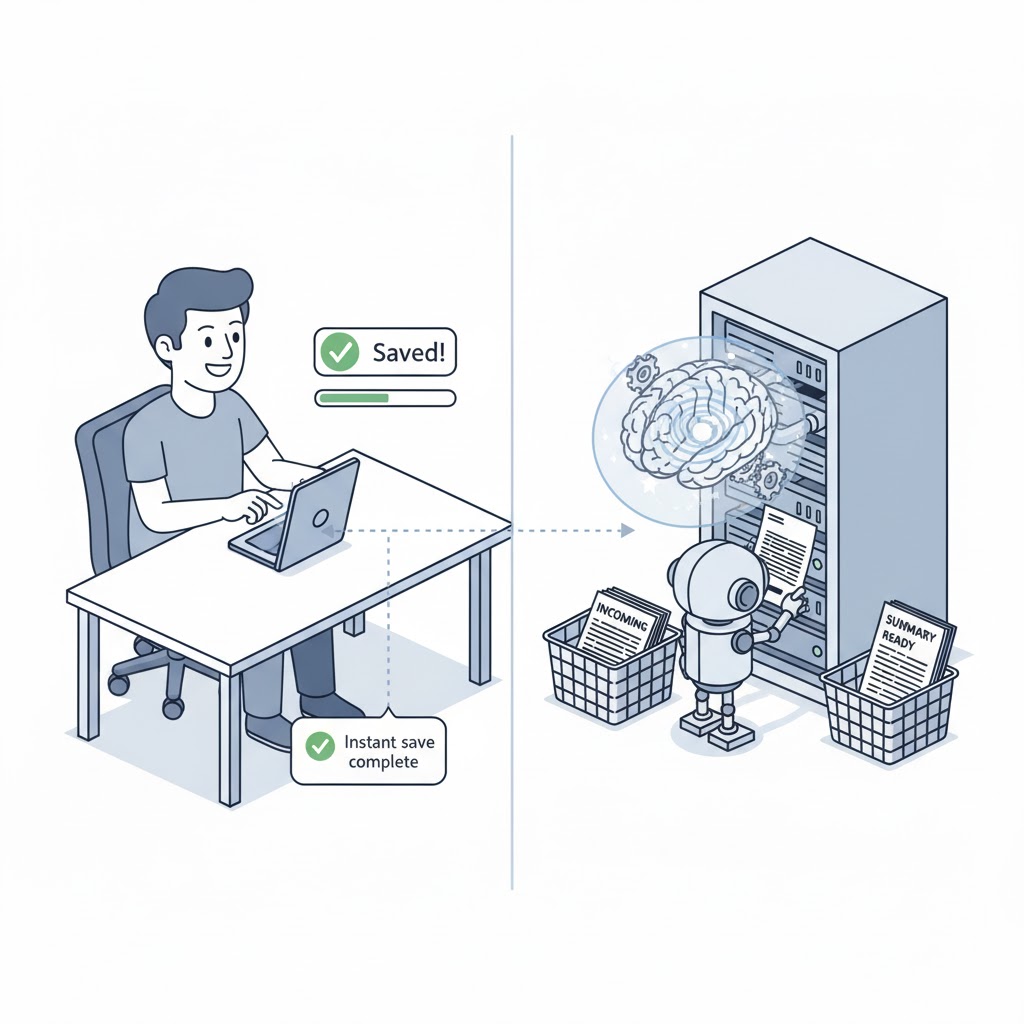
1. Async enrichment. Don’t block the request. When a document is saved, return immediately — then enrich it with AI data in the background. Users get a fast response. The AI summary appears a few seconds later. This is the pattern you want for 90% of AI features.
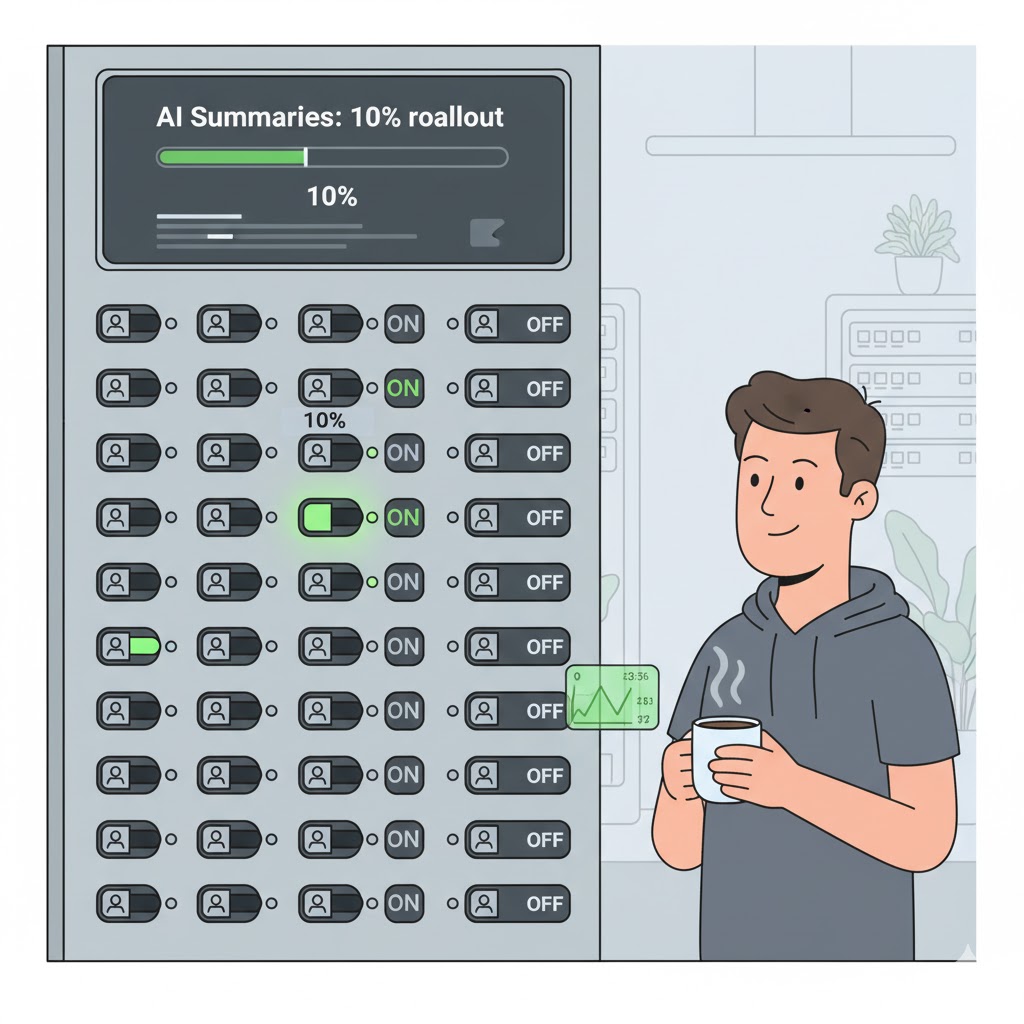
2. Feature flags. Don’t give the new AI feature to everyone on day one. Roll it out to 10% of users. Watch the metrics from article 3. If something is wrong, turn it off without deploying. Feature flags also let you run the old path and the new path in parallel — useful when you want to compare outputs before fully committing.
3. Nullable schema evolution. When you add AI-generated data to an existing table, make it nullable. Existing rows don’t have a summary yet — that’s fine. New rows get one. Old rows get backfilled over time. Never add a required AI column to a table with existing data.
Together these give you a safe integration path: you’re not replacing what exists, you’re enriching it — gradually, optionally, without downtime.
Execute
1. Background enrichment — don’t block the request
The pattern: your existing endpoint saves the document and returns immediately. It also enqueues a task to generate the AI summary. A background worker picks it up and writes the result back to the database.
First, a simple background task queue:
public interface IBackgroundTaskQueue
{
    void Enqueue(Func<CancellationToken, Task> task);
    Task<Func<CancellationToken, Task>> DequeueAsync(CancellationToken ct);
}

public class BackgroundTaskQueue : IBackgroundTaskQueue
{
    private readonly Channel<Func<CancellationToken, Task>> _queue =
        Channel.CreateUnbounded<Func<CancellationToken, Task>>();

    public void Enqueue(Func<CancellationToken, Task> task) =>
        _queue.Writer.TryWrite(task);

    public async Task<Func<CancellationToken, Task>> DequeueAsync(CancellationToken ct) =>
        await _queue.Reader.ReadAsync(ct);
}
Your existing endpoint barely changes:
[HttpPost]
public async Task<IActionResult> CreateDocument(
    CreateDocumentRequest request,
    CancellationToken cancellationToken)
{
    // Existing logic — unchanged
    var document = await _documents.InsertAsync(
        new Document { Title = request.Title, Body = request.Body },
        cancellationToken);

    // Enqueue AI enrichment — fire and forget
    _taskQueue.Enqueue(async ct =>
        await _enricher.EnrichAsync(document.Id, ct));

    // Return immediately — no waiting for AI
    return CreatedAtAction(nameof(GetDocument), new { id = document.Id }, document);
}
The enricher runs in the background:
public class DocumentAiEnricher
{
    private readonly IDocumentRepository _documents;
    private readonly IAiSummaryService _ai;
    private readonly ILogger<DocumentAiEnricher> _logger;

    public async Task EnrichAsync(Guid documentId, CancellationToken ct)
    {
        var document = await _documents.GetByIdAsync(documentId, ct);
        if (document is null) return;

        // Already enriched — skip
        if (document.AiSummary is not null) return;

        var summary = await _ai.SummarizeAsync(document.Body, ct);
        if (summary is null)
        {
            _logger.LogWarning(
                "AI enrichment skipped for document {Id} — AI unavailable", documentId);
            return;
        }

        await _documents.UpdateAiSummaryAsync(documentId, summary, ct);

        _logger.LogInformation(
            "Document {Id} enriched with AI summary", documentId);
    }
}
The hosted service that drains the queue:
public class BackgroundEnrichmentWorker : BackgroundService
{
    private readonly IBackgroundTaskQueue _queue;
    private readonly IServiceScopeFactory _scopeFactory;
    private readonly ILogger<BackgroundEnrichmentWorker> _logger;

    protected override async Task ExecuteAsync(CancellationToken stoppingToken)
    {
        while (!stoppingToken.IsCancellationRequested)
        {
            var task = await _queue.DequeueAsync(stoppingToken);

            // Create a scope for each task — enricher uses scoped services
            await using var scope = _scopeFactory.CreateAsyncScope();
            try
            {
                await task(stoppingToken);
            }
            catch (Exception ex)
            {
                _logger.LogError(ex, "Background enrichment task failed");
            }
        }
    }
}
Register everything:
// Program.cs
builder.Services.AddSingleton<IBackgroundTaskQueue, BackgroundTaskQueue>();
builder.Services.AddScoped<DocumentAiEnricher>();
builder.Services.AddHostedService<BackgroundEnrichmentWorker>();
2. Feature flags — roll out safely
A feature flag stops you from having to deploy to turn something on or off. The interface is simple:
public interface IFeatureFlags
{
    Task<bool> IsEnabledAsync(string flag, string userId, CancellationToken ct = default);
}
For a simple start, implement it with configuration — no external service needed:
public class ConfigFeatureFlags : IFeatureFlags
{
    private readonly IConfiguration _config;

    public ConfigFeatureFlags(IConfiguration config) => _config = config;

    public Task<bool> IsEnabledAsync(string flag, string userId, CancellationToken ct = default)
    {
        var section = _config.GetSection($"FeatureFlags:{flag}");

        // Flag not configured = disabled
        if (!section.Exists()) return Task.FromResult(false);

        // Global on/off
        if (bool.TryParse(section.Value, out var enabled))
            return Task.FromResult(enabled);

        // Percentage rollout: "10" means 10% of users
        if (int.TryParse(section["Percentage"], out var percentage))
        {
            // Stable per user: same user always gets same result
            var hash = Math.Abs(HashCode.Combine(flag, userId));
            return Task.FromResult(hash % 100 < percentage);
        }

        return Task.FromResult(false);
    }
}
In appsettings.json:
{
  "FeatureFlags": {
    "ai-summaries": {
      "Percentage": "10"
    }
  }
}
Change "10" to "100" to roll out fully. Change to "false" to turn it off. No deployment.
Use it in the enricher:
public async Task EnrichAsync(Guid documentId, string userId, CancellationToken ct)
{
    if (!await _flags.IsEnabledAsync("ai-summaries", userId, ct))
        return;

    // ... rest of enrichment
}
3. Schema evolution — nullable from day one
Never add a required AI column to an existing table. Always nullable, always backfill later.
// EF Core migration
public partial class AddAiSummaryToDocuments : Migration
{
    protected override void Up(MigrationBuilder migrationBuilder)
    {
        // Nullable — existing 2 million rows are unaffected
        migrationBuilder.AddColumn<string>(
            name: "AiSummary",
            table: "Documents",
            nullable: true);

        migrationBuilder.AddColumn<DateTimeOffset>(
            name: "AiSummaryGeneratedAt",
            table: "Documents",
            nullable: true);
    }

    protected override void Down(MigrationBuilder migrationBuilder)
    {
        migrationBuilder.DropColumn(name: "AiSummary", table: "Documents");
        migrationBuilder.DropColumn(name: "AiSummaryGeneratedAt", table: "Documents");
    }
}
Your entity reflects the nullable fields:
public class Document
{
    public Guid Id { get; set; }
    public string Title { get; set; } = default!;
    public string Body { get; set; } = default!;

    // Nullable — not all documents have been enriched yet
    public string? AiSummary { get; set; }
    public DateTimeOffset? AiSummaryGeneratedAt { get; set; }
}
Your API response is honest about it:
public record DocumentResponse(
    Guid Id,
    string Title,
    string Body,
    string? AiSummary,          // null until enrichment runs
    bool AiSummaryAvailable     // client uses this to decide what to show
)
{
    public bool AiSummaryAvailable => AiSummary is not null;
}
The client shows a “Summary generating…” state when AiSummaryAvailable is false, and the real summary when it arrives. No error. No broken UI.
Backfilling existing data
Once the feature is live and stable, backfill the rows that don’t have a summary yet. Run it as a background job, not a migration — you don’t want to lock the table:
public class AiBackfillService
{
    private readonly IDocumentRepository _documents;
    private readonly DocumentAiEnricher _enricher;
    private readonly ILogger<AiBackfillService> _logger;

    // Call this from a scheduled job or a one-off endpoint
    public async Task BackfillAsync(int batchSize, CancellationToken ct)
    {
        var pending = await _documents.GetWithoutAiSummaryAsync(batchSize, ct);

        _logger.LogInformation(
            "Backfilling AI summaries for {Count} documents", pending.Count);

        foreach (var doc in pending)
        {
            await _enricher.EnrichAsync(doc.Id, ct);

            // Small delay between calls — don't hammer the AI API
            await Task.Delay(TimeSpan.FromMilliseconds(200), ct);
        }
    }
}
Run it in batches over time. Track progress with a counter metric from article 3.
What this looks like end to end
A document is created. The endpoint returns in 50ms. Two seconds later, the background worker enriches it. The next time the client polls or opens the document, AiSummaryAvailable is true.
The AI is completely optional to the core flow. If the AI service is down, the document still saves. The enrichment is retried later (or skipped). The user is never blocked.
That’s the integration mindset: AI enriches your system, it doesn’t own it.
Checklist
- Do AI features block the main request, or run asynchronously?
- Are AI-generated columns nullable in your schema?
- Is there a feature flag to enable/disable AI features without deploying?
- Does your backfill run in small batches with delays, not in one big query?
- Does the API response tell the client whether AI data is available?
- If the AI service is completely down, can users still create and read data?
The last question is the most important. If the answer is no, you have a hard dependency — and you’ve been through articles 2 and 3.
Before the Next Article
You’ve integrated AI into an existing system. It’s enriching data, respecting feature flags, not blocking requests.
Now someone asks: how do we test this? The feature uses an AI model that returns different output every time. You can’t assert response == "expected summary". Your existing test suite doesn’t cover probabilistic behaviour.
That’s article 7. Testing AI features — deterministic strategies for a non-deterministic component.
If this series helps you, consider buying me a coffee.
This is article 6 of the AI in Production series. Next: Testing AI Features — how to write reliable tests for something that’s probabilistic by design.
Loading comments...